
Auto-tag MEPF sheets in Revit.
RayCAD tags your whole view to your firm’s placement standard, arranging tags neatly without overlaps so you only review the sheet.
No credit card required
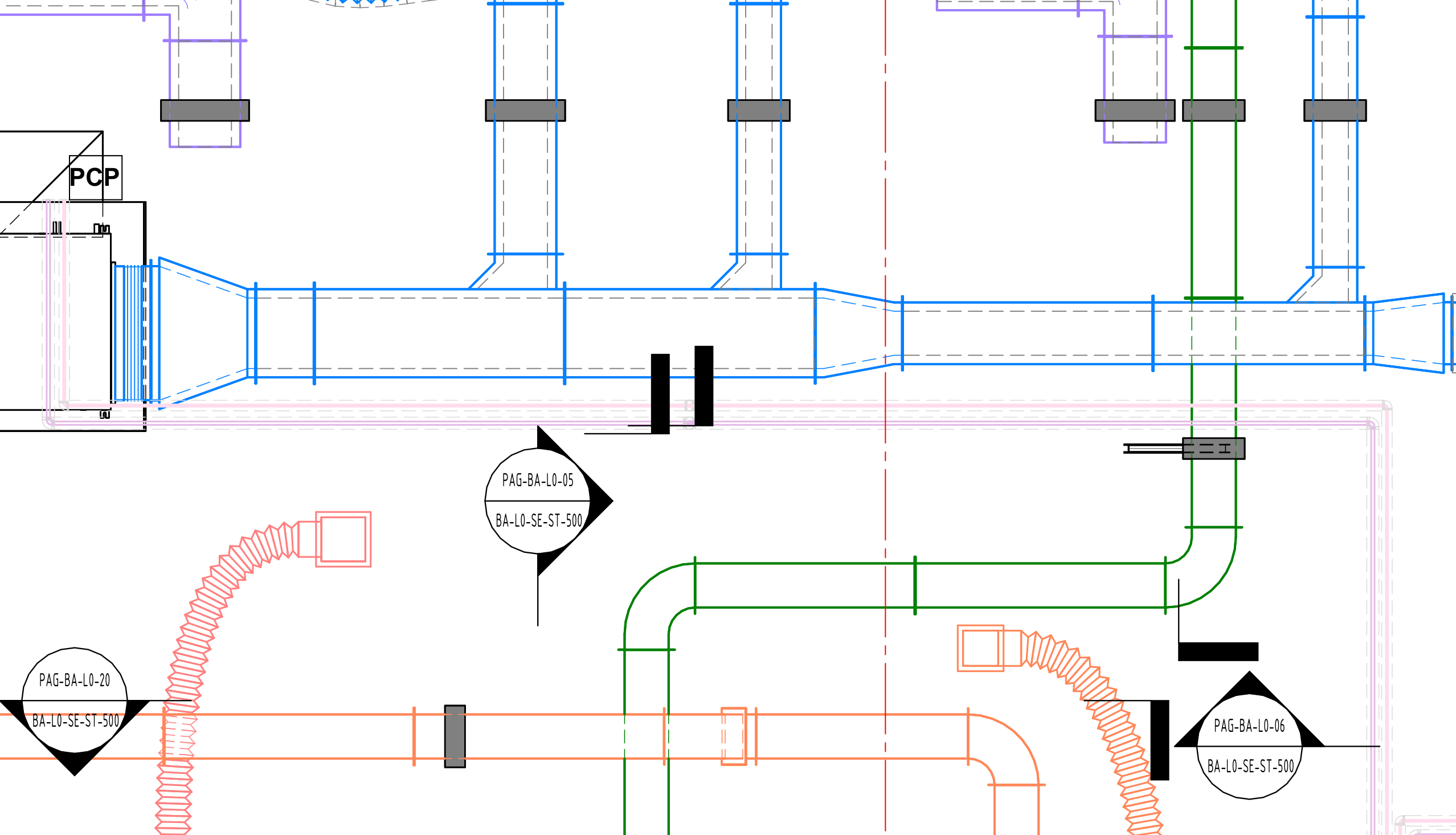
Sheets go out faster, fewer RFIs come back, and the same team takes on more projects.
Sheets go out faster
Your drafters review the tags RayCAD placed instead of placing them by hand. At Orbit Engineering Services, tagging takes about 70% less time.
Fewer RFIs come back
Humans miss tags. RayCAD tags every change in size, elevation or direction on every sheet, so fewer questions come back and a sheet is approved with less back and forth.
More projects, same team
The hours spent on tagging go into engineering work, so your team can take on more projects.
RayCAD tags the whole view and hands you the sheet to check.
One run does the whole job
Tag All puts a tag on every element in the view. Leader aligners and tag movers tidy tags someone already placed. Each saves a few clicks, but the drafter still does the main work: knowing where a tag is needed and arranging each one neatly, without overlaps, to the firm's standard.
RayCAD does that part. It reads the model through the Revit API, finds where the information changes and places each tag without overlaps, to your firm's standard, the way a drafter would. It doesn't generate any tag text. It uses your own tag families, which read their values from the model, so a tag can't come out wrong. You set the rules once, pick a view and check the result.
- Ducts
- Pipes
- Air terminals
01 Configure
Set your rules once
Choose when a tag goes in, which of your tag families to use and how tags sit along a run. RayCAD keeps the rules, so every run after follows them.
Human-like intelligence
RayCAD sees the model and existing tags, decides where a tag is needed from your configuration and finds a neat spot for it.
Where the information changes
RayCAD adds a tag wherever size, elevation or direction changes, and again when a long run goes too far without one. You set these rules in your configuration.
We've taken care of the dealbreakers
The reasons firms drop a tagging plugin, and what RayCAD does about each.
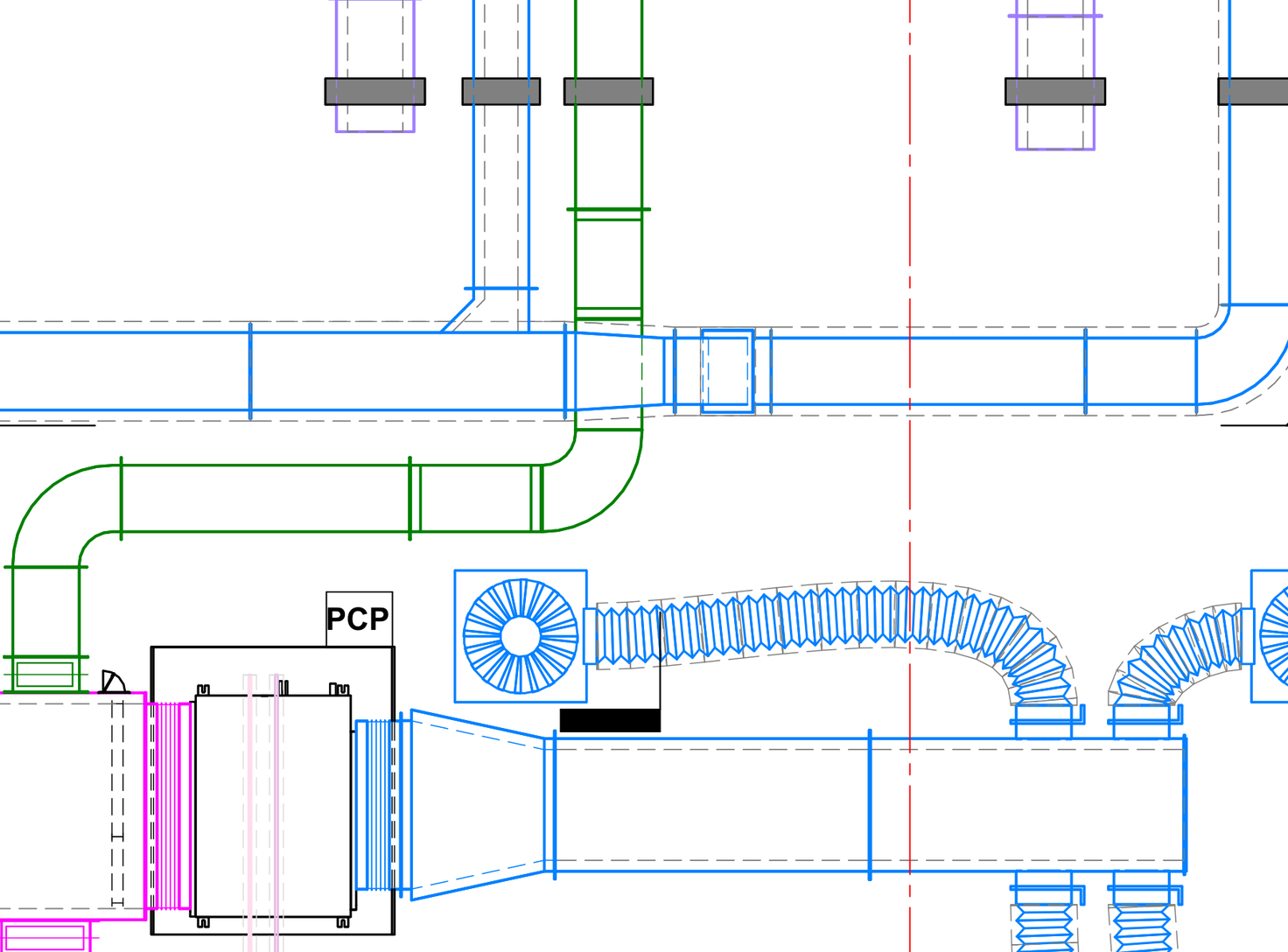




RayCAD runs inside Revit on your machine. Your models, views and families never reach our servers.
Sheets as RayCAD left them.
Straight from RayCAD, with nothing fixed by hand, including what it got wrong.
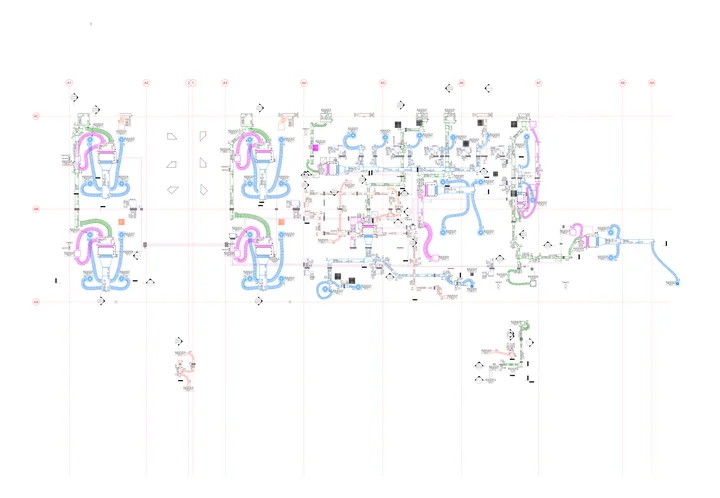
Drag to look around the sheet. Pinch, double-click or press + to zoom.
- 1,012
- tags placed
- 5 h
- by hand
- 13 sec
- by RayCAD
Trusted by firms across the world.
“RayCAD has cut our tagging time by over 70%. We spend less time on clerical work and more on engineering, which lets us take on 1.5x more projects and directly adds to our revenue.”
 Vipul PanchalDirector, Orbit Engineering Services, Sydney

Bringing state-of-the-art technology to AEC.
Tagging
Tag a whole MEPF view in Revit in one run, placed neatly without overlaps and to your firm's standard.
How it worksConnect Conduits
Models the elbows and straights between two conduits in 3D, across different offsets and axes, following the minimum bend radius.
See Connect ConduitsHarness
A generic harness for using state-of-the-art AI models in Revit and other AEC software.
Coming soon
Every tool is in the free trial and the $200 plan. Get started
Pricing
Free for 15 days, then $200 a month for the whole firm.
All tools, unlimited licenses, unlimited usage and direct support from the founders. Early founding price, 4 spots left.
No credit card · Free onboarding
Need RayCAD to do something it doesn't yet? We build it with you.
Priced by the work involved. What you pay isn't a development charge: it's your RayCAD subscription for X months, paid upfront.
Book a call to discuss- Scope
We define the problem with you
- We sit with your team and define the problem properly
- We scope the solution you need
- MVP
You see value early
- We build a first version you can start using
- We take your feedback every week
- Delivery
The full version, production quality
- We deliver the complete solution to the scope we agreed
- Built and tested to run on your live projects
Questions drafters ask.
Something else? Write to the founders.
Revit 2021 to 2027, from one installer. RayCAD is maintained and improved continuously, and every new Revit release is supported. It sits in its own tab on the Revit ribbon, so there is no separate app to open.
HVAC and piping: ducts, flex ducts, air terminals, mechanical equipment, generic models, duct fittings, fabrication equivalents, pipes, pipe accessories and pipe fittings. Electrical and fire protection are coming soon.
Floor plans and sections, one view at a time.
Yes. You map your element families to your tag families once, and RayCAD places your tags. It doesn't generate any tag text, so a tag reads its values from the model and can't come out wrong.
Yes. You decide what gets tagged, where a tag goes, how often one repeats along a run and the shortest length worth tagging. Every firm lays tags out differently, so none of this is fixed.
Check the result. The view comes back tagged, with a count of what went in and the few elements worth a second look. The drafter checks it, adjusts what they want and issues the sheet.
No. RayCAD touches nothing but its own tags: not your model, your other tags or any parameters. A run that fails rolls back, and everything it does reverts in one undo.
No. RayCAD runs on your computer and reads the model through the Revit API. No model or project data goes to our servers.
One price covers the whole firm: all tools, unlimited licenses, unlimited usage and direct support from the founders. The early founding price is $200 a month, and onboarding is free.
Yes. The trial is 15 days, free, with every feature and no usage limit. No credit card required.
Yes, through our design partner scheme. It is paid and priced by the work involved, and what you pay comes back as credit on your subscription, not a development charge. We define the problem with you, give you a first version to start using, take weekly feedback and deliver the full version at production quality.