
Revit tagging plugin for Revit 2021 to 2027
RayCAD is a Revit tagging plugin that runs inside Revit 2021 to 2027 with one installer and one update button. We handle the API differences between versions, and we commit to supporting every future Revit release.



On this page
RayCAD is a Revit plugin. It runs inside Revit, with no separate application, and it supports Revit 2021 to 2027. It reads the model through the Revit API, which is how it gets the precise geometry it needs to place tags. See how RayCAD uses that geometry. We commit to supporting every future version that Revit releases.
A plugin inside Revit, not another application
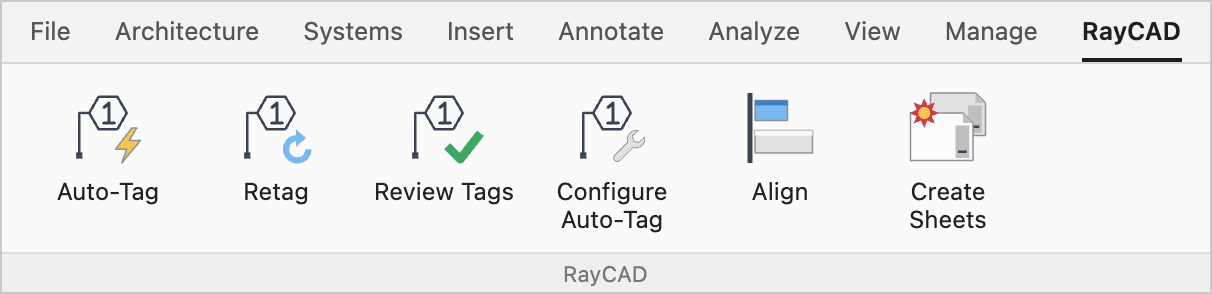
RayCAD is not standalone software. It is a plugin inside Revit, so your engineers do not have to deal with another application, learn another interface, or learn how another tool works. RayCAD is an extension to the drafter.
There is nothing new to learn. It is a simple plugin that works in a few clicks, and you see the value immediately. It does not disrupt your workflow, and it does not ask you to change your behavior or unlearn how you tag today. Changing habits is hard, and that is why drafters often stay with what they know, such as pressing the TG shortcut and tagging element by element. With RayCAD you can tag the whole view in one click, inside Revit.
One installer, one update button
A single installer installs RayCAD across all supported versions. A single update button updates all of them. You update in one version, and every version is updated. You do not install or update once per version.
We handle the differences between versions
Revit's API changes from version to version, and we take care of those differences so RayCAD produces the best result in each one. For example, Revit 2021 and 2022 have no way to set a tag to a custom angle. We wrote special handling for that version, so placements look neat there even without the option. We have looked into each version to make sure every feature is fully supported and nothing crashes. Crashes are a serious problem for plugins, and we treat them that way. See how RayCAD protects against crashes.
Use RayCAD on every version your firm uses
Your firm can use RayCAD on every Revit version it uses today. Many plugins support one version and then drop the next, which leaves a firm without a tool it already relied on. RayCAD does not leave you in that position. We are here for the long term, and we will keep RayCAD supported in the years ahead, so you can rely on it.
Frequently asked questions
Which Revit versions does RayCAD support?
RayCAD supports Revit 2021, 2022, 2023, 2024, 2025, 2026, and 2027, including the Revit 2027 plugin and the Revit 2026 plugin.
Will RayCAD support future Revit versions?
Yes. We commit to supporting every future version Revit releases.
Do I install RayCAD separately for each Revit version?
No. A single installer installs RayCAD across all supported versions.
How do I update RayCAD?
There is a single update button that updates RayCAD across all versions. Update in one version and every version gets the update.
Is RayCAD a separate application?
No. RayCAD runs inside Revit and reads the model through the Revit API.